Make device testing effortless for your repair or refurbishing business.
With our free trial of the eSIM Test Profile Service, you can install a test profile on your device in just a few simple steps. Our service enables the provisioning of test profiles to eSIM-compatible devices while ensuring compliance with mandatory commercial-grade GSMA SAS security standards. For more details, visit the product page.
Step-by-step Guide:
Here’s how to activate your eSIM test profile:
Open Settings – Go to your device’s eSIM settings and start the process to add a new eSIM profile.
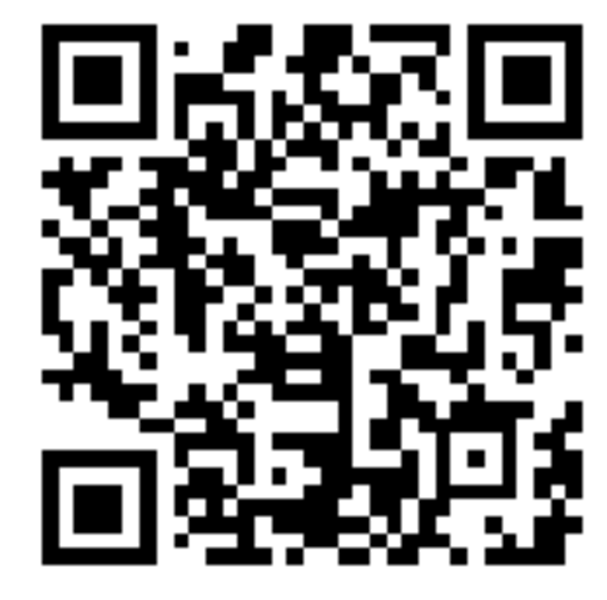
Scan the QR Code – Your device will open the camera and prompt you to scan the QR code.*
Download & Activate – The profile will be downloaded and enabled automatically.
Network Search – Your device will begin searching for a network.
Important: If your device doesn’t find a network, it may continue searching for up to 48 hours.
Delete After Testing – Once you’ve completed your tests, remove the test profile via your device’s settings.
*If you open this page directly on your smartphone, press and hold the QR code and select “Add eSIM.”
Profile Details:
- Profile Type: TS48 V7.0 eSIM_GTP_SAIP2.3_NoBERTLV (please note: to prevent security issues, RFM/RAM is not available and the ADM codes have been randomized - in-line with the guidelines from GSMA)
- MCC/MNC: 001/01
- IMSI: 001010123456789
Additional Info:
- Works with eSIM-compatible smartphones without a carrier SIM lock. If you are interested in profiles that work with carrier SIM lock, get in touch with us.
- If you want the device to connect to a network simulator, you need to configure this on the network simulator.
- Uses standardized GSMA TS.48 test profiles.
- This eSIM profile may not work for mobile devices with very old eSIMs as the eSIM profile follows the latest GSMA specification.
- Fair Use: You can download up to 5 test profiles. The trial is free of charge.
We reserve the right to refuse access to this trial or to disable the QR code at any time during the trial period, including for additional downloads. This service is intended exclusively for businesses and is not available to private consumers.
Find more information in our FAQs. For further assistance, contact our campaign specialist Laura Strunz at lstrunz(at)comprion.com.